Register a KeyFob for login
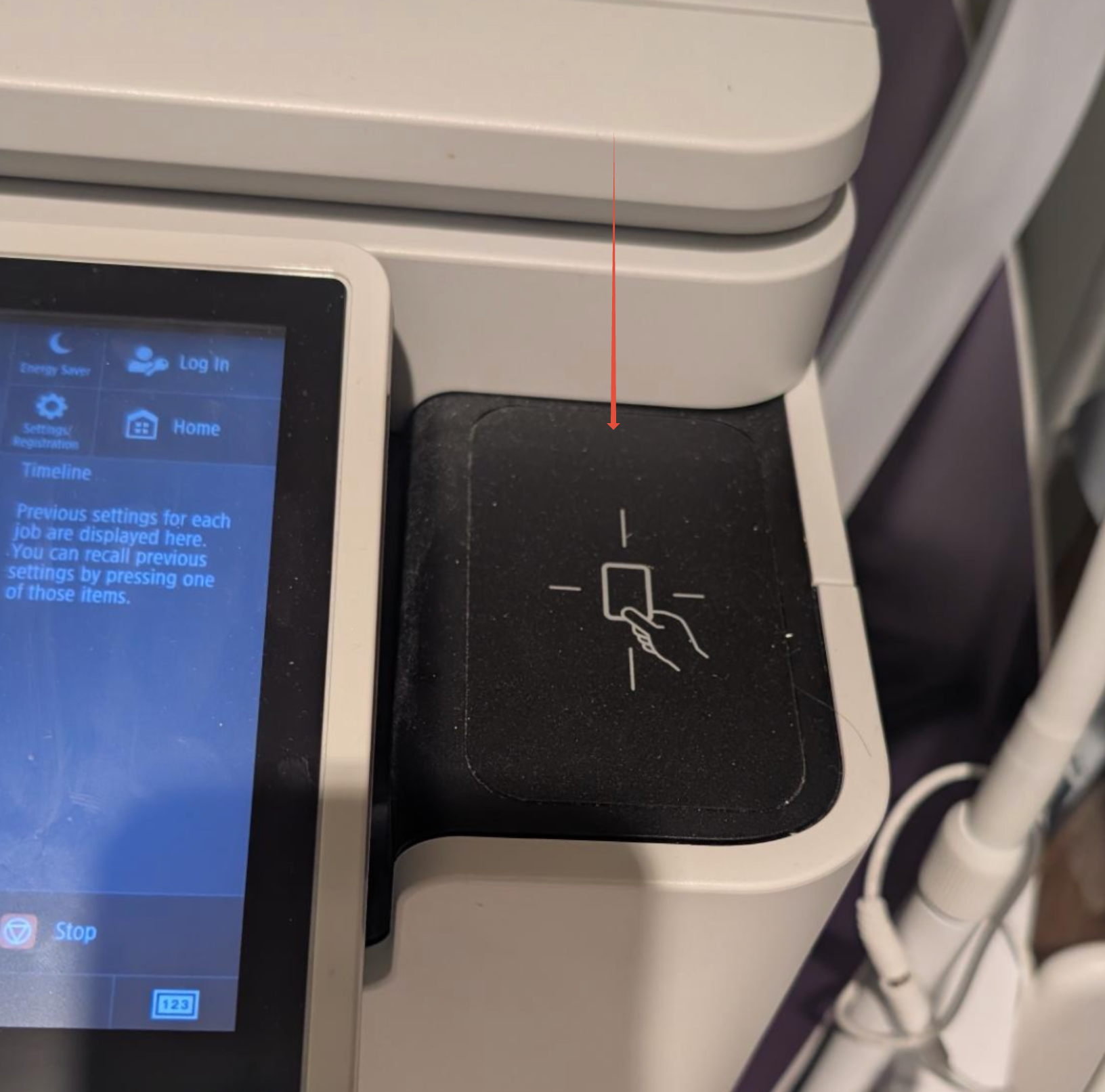
To avoid entering your PIN each time, you can register a KeyFob directly at the printer.
- At the device, tap your chosen KeyFob on the reader.
- Enter your Card Registration Code (provided by your administrator or in your welcome email) on the device’s touchscreen.
- Tap the KeyFob again to complete registration.
Once registered, you can log in by simply tapping your KeyFob.
If you need support please contact itqueries@thegelbottle.com.
Was this article helpful?
That’s Great!
Thank you for your feedback
Sorry! We couldn't be helpful
Thank you for your feedback
Feedback sent
We appreciate your effort and will try to fix the article