1. Sign in to the printer
Enter your unique code to access your account.
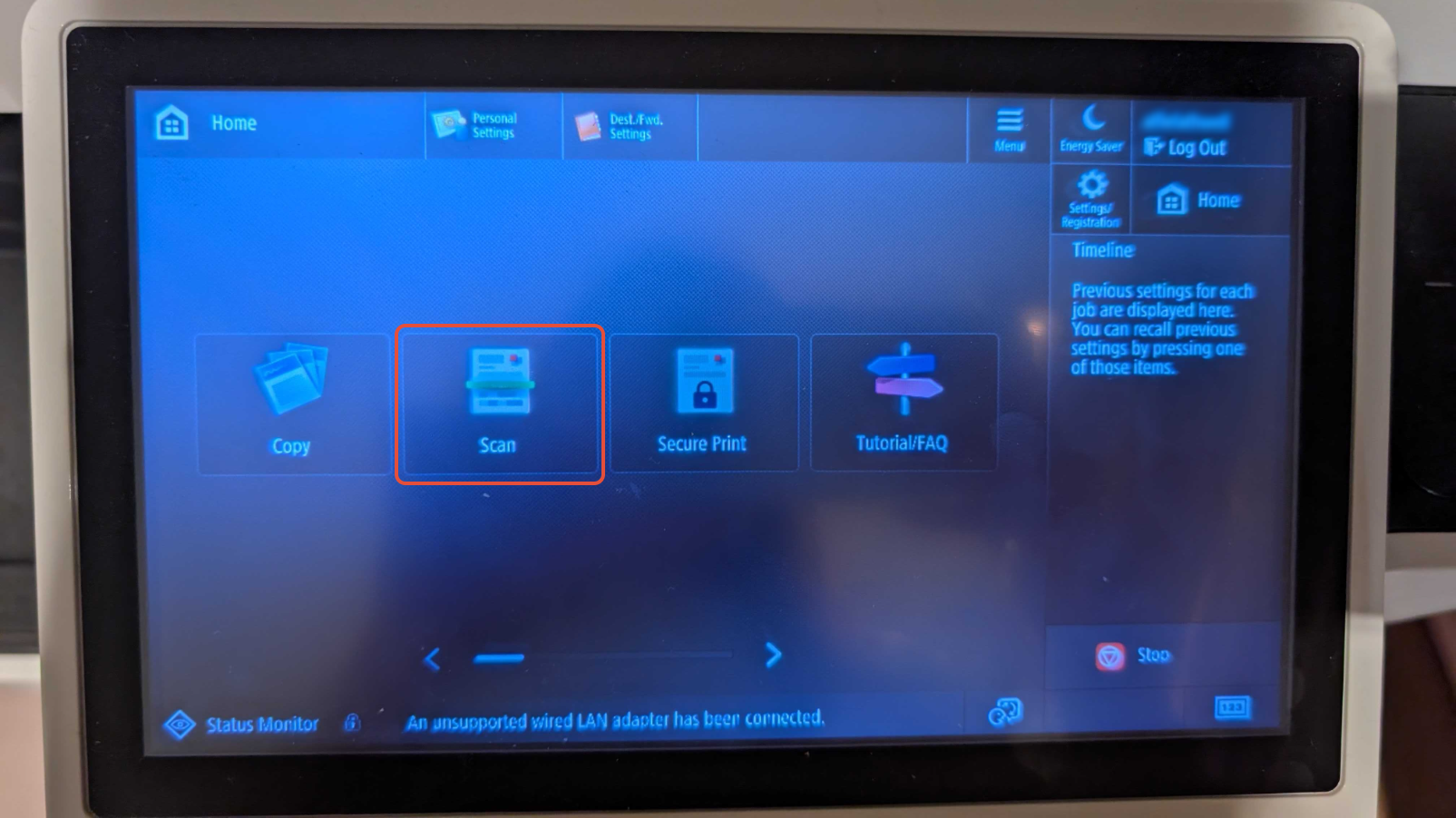
2. Select Scan
Tap the Scan icon on the printer screen.
3. Place your document
Put the paper you want to scan face down on the glass.
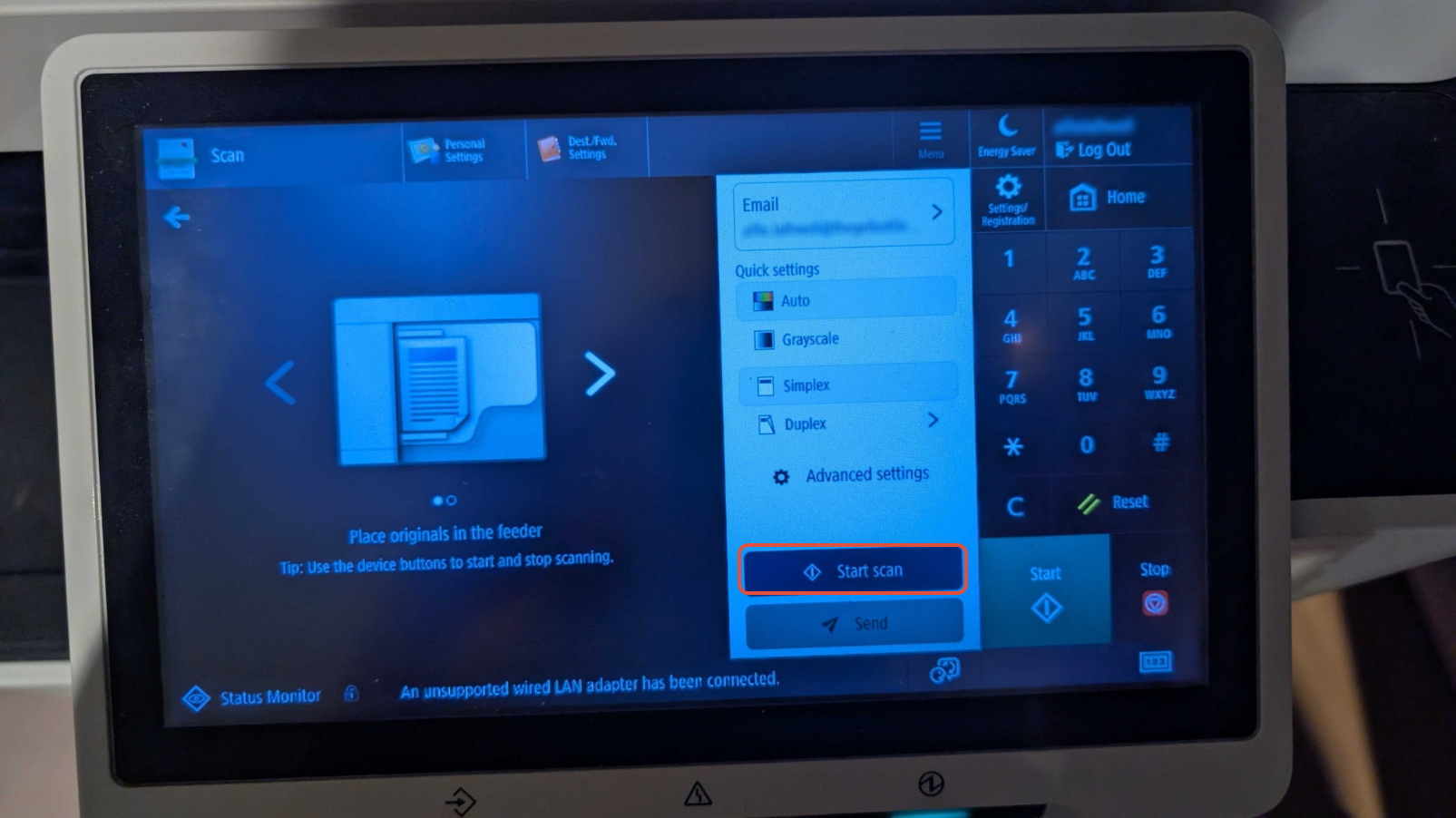
4. Start the scan
Tap Start Scan (you may be asked to confirm).
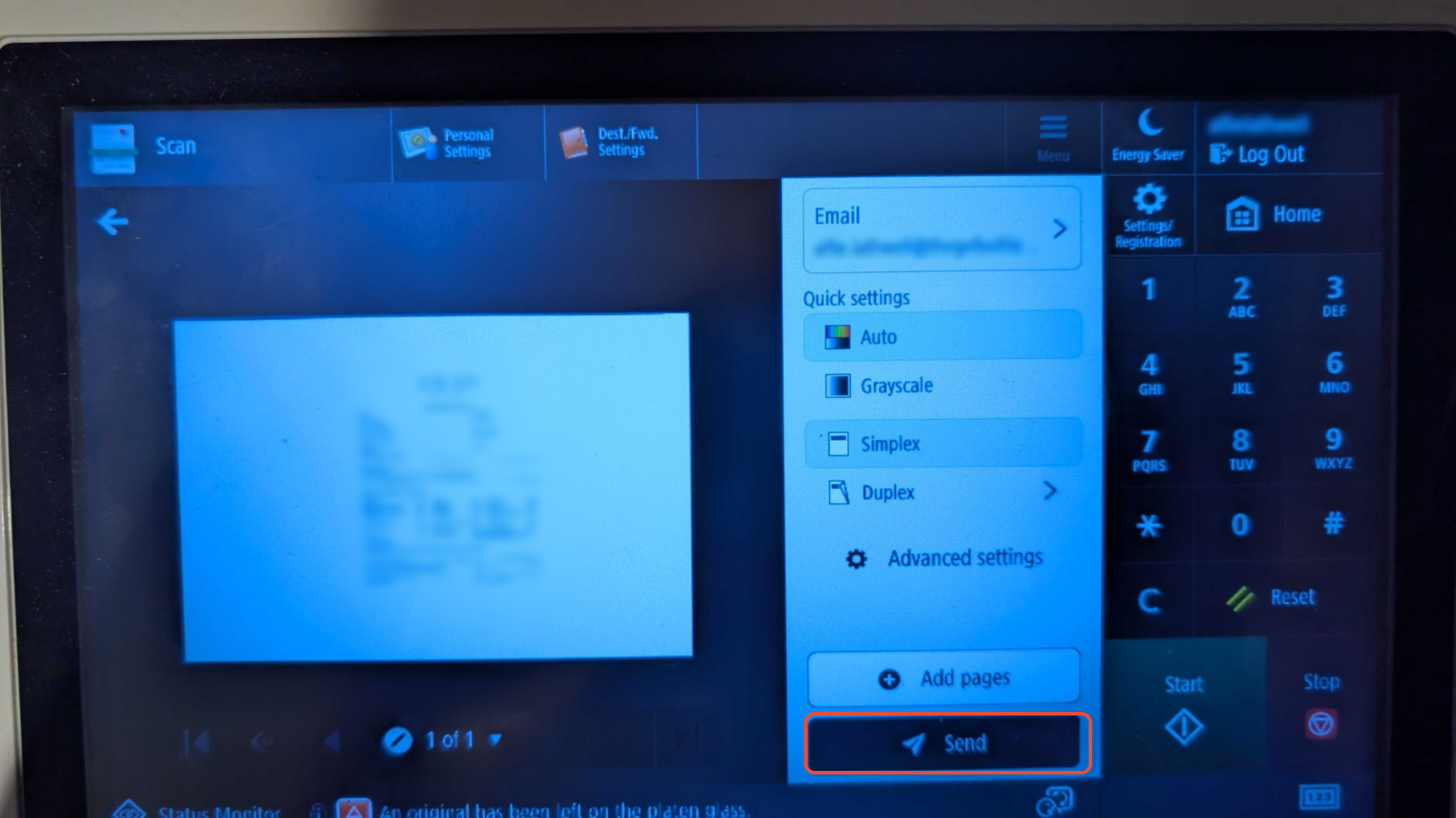
5. Send the scan
Once the scan is complete, tap Send.
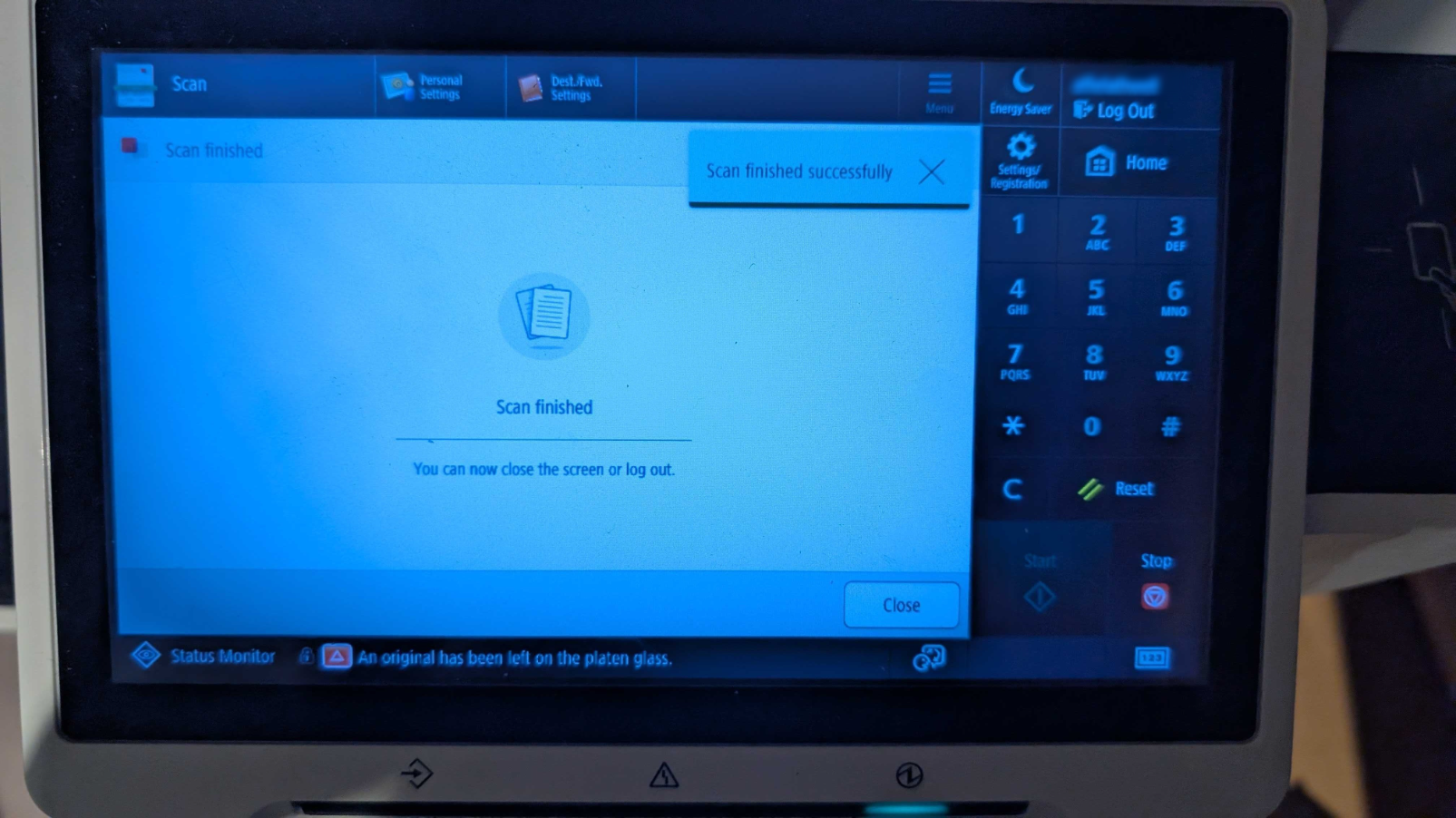
6. Confirmation
A message will appear confirming the scan was sent successfully.
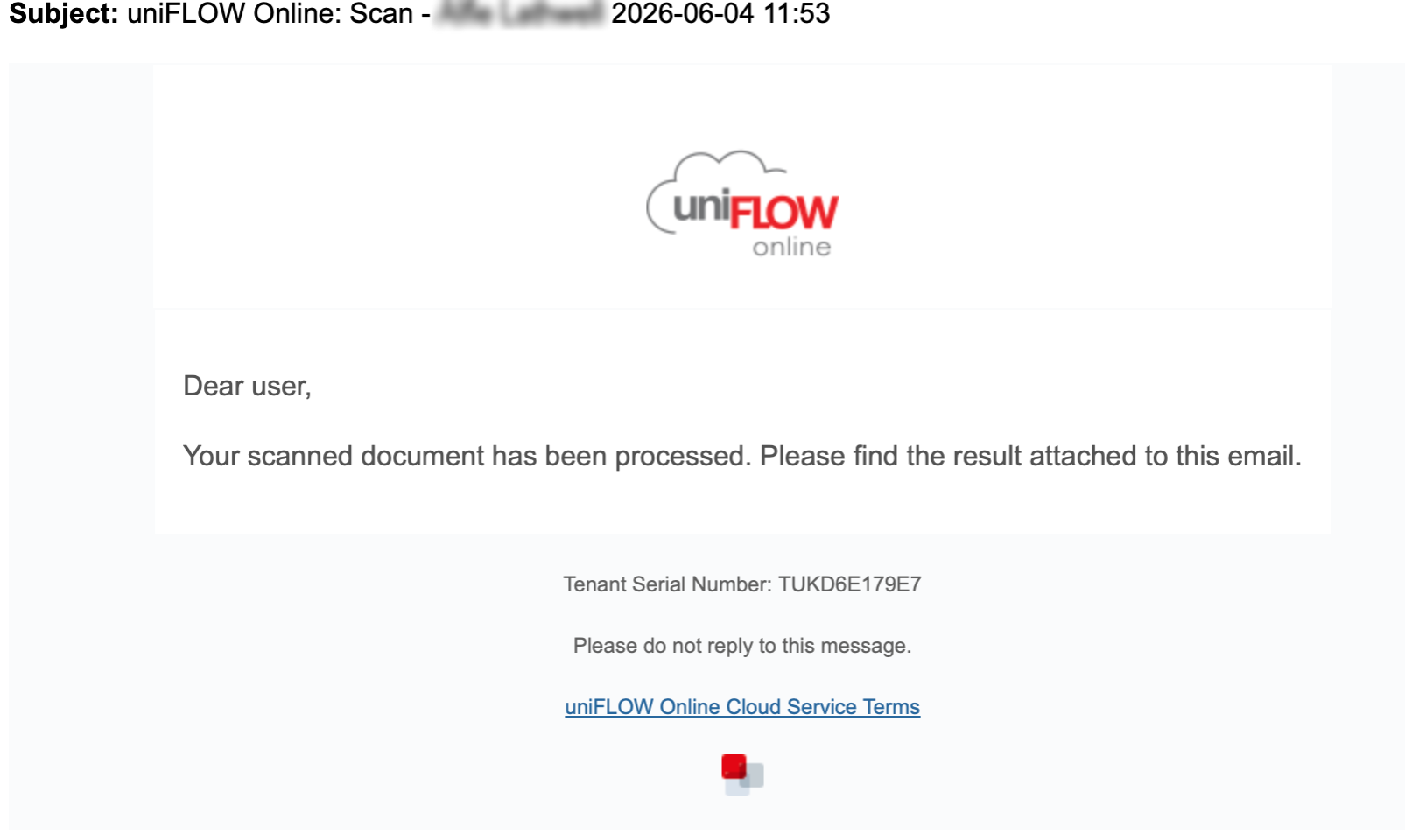
You will then receive an email from noreply@thegelbottle.uk.uniflowonline.com with your scanned document attached.
Was this article helpful?
That’s Great!
Thank you for your feedback
Sorry! We couldn't be helpful
Thank you for your feedback
Feedback sent
We appreciate your effort and will try to fix the article